A password used to be enough. Type it in, you’re in, done. Not anymore. Data breaches happen all the time now. Passwords leak. People reuse the same one everywhere. One stolen password can wreck someone’s entire online life pretty fast. That’s where two factor authentication steps in. It adds a second lock on the door, so even if someone’s got the password, they’re still stuck outside.
Table of Contents
Here’s what it actually means, how it works, and why it’s worth turning on everywhere possible.
What Is Two Factor Authentication, Exactly
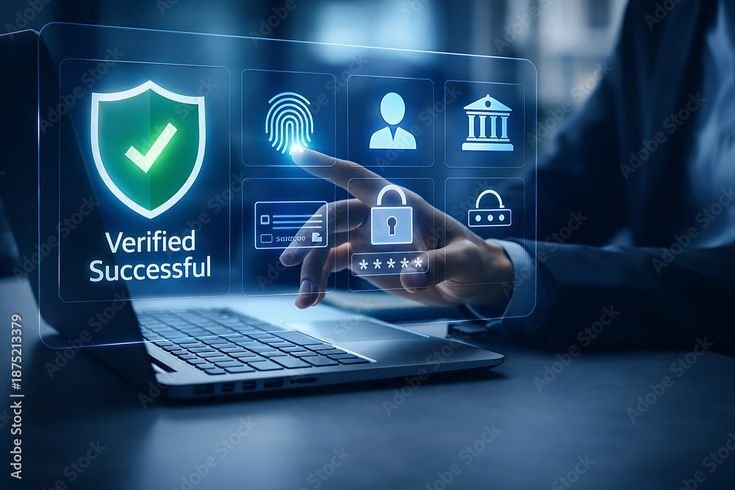
What is 2FA gets asked a lot, mostly by people who’ve seen the option pop up a hundred times during sign-ups and just clicked past it without really understanding what it does. Simple version, it’s a security step that needs two separate proofs before letting someone log in, not just a password alone.
The first piece is something known, usually a password. The second piece is something else entirely, a code texted to a phone, a fingerprint, or a number from an app that refreshes every thirty seconds. What 2FA boils down to is this, don’t rely on one single thing to protect an account. If the password gets stolen, that alone still isn’t enough to get in.


Dual Factor Authentication Definition, No Jargon
A dual factor authentication definition sounds way more complicated than it actually is. Here’s the plain version. Dual factor authentication definition just means combining two different types of proof, something you know, something you have, or something that’s physically part of you, instead of trusting one method on its own.
| Factor Type | Example | Category |
| Something known | Password, PIN | Knowledge |
| Something owned | Phone, security key | Possession |
| Something inherent | Fingerprint, face scan | Inherence |
Looking at the dual factor authentication definition laid out like this, it makes sense why mixing categories matters. A stolen password sits in just one bucket, knowledge. Without something from a different bucket backing it up, that password alone doesn’t open much.
Must Read: VPN vs Private Browsing: What’s the Difference? Are VPNs safe?
Why a Password Alone Just Doesn’t Cut It
Passwords fail constantly, and usually in predictable ways. Same password reused across ten sites. Something easy to guess. Or credentials leaked in a breach that had nothing to do with anyone’s personal habits at all. Once a password’s out there, anyone holding it can walk right in, unless something else blocks the way.
This is exactly where two factor authentication earns its keep instead of just being a mild annoyance during login. Even with a compromised password floating around somewhere, a second step stops most people from getting in. Security folks keep saying the same thing over and over, two factor authentication is one of the best things an average person can do to protect their accounts, right up there with just using strong, unique passwords in the first place.
How It Actually Works Day to Day
The process itself moves pretty fast once it’s set up. Password goes in as usual, but instead of instant access, there’s a second prompt waiting. Could be a text with a one-time code. Could be a push notification on a trusted phone. Could be a code pulled from an authenticator app.
Two factor authentication sometimes uses physical security keys too, small devices plugged into a laptop or tapped against a phone, and those tend to be harder for anyone to intercept compared to text codes. Texts stay the most common option mainly because nearly everyone already owns a phone that can receive them. App-based or hardware-based methods usually hold up better against more advanced attacks though.
The Different Flavours of Two Factor Authentication
Not every two factor authentication method protects equally well, and it’s worth knowing the gap between them before picking one.
| Method | How It Works | Security Level |
| SMS text codes | Code sent via text message | Moderate |
| Authenticator apps | Code generated in an app | Strong |
| Push notifications | Approve login from a trusted device | Strong |
| Security keys | Physical device for verification | Very strong |
SMS codes are easy and convenient but have a real weak spot, something called SIM swapping, where someone tricks a phone carrier into moving a number over to a new SIM card they control. Authenticator apps and physical keys sidestep that problem completely, which is exactly why banks and email providers tend to push those options over plain text messages.
Must Read: Can You Read Online Without Being Tracked?
Setting It Up Without Much Hassle
Turning on two factor authentication usually takes a couple minutes per account, buried somewhere in security settings under a name like login verification or two step verification. Pretty much every major platform supports some version now, email, banking apps, social media, all of it. Starting with the most important accounts first, email and banking especially, makes the most sense since those tend to connect to everything else.
Once it’s running, the extra step fades into routine fast. People worry it’ll slow logins down a ton, but honestly most authenticator apps and push alerts only add a few seconds. That tiny bit of extra friction beats the alternative, an account with zero backup defence sitting wide open.
Wrapping It Up
Passwords alone aren’t cutting it anymore, not with how often breaches happen and how easily credentials spread around. Two factor authentication fixes that gap by asking for a second, totally separate proof before letting anyone in, which makes a stolen password a lot less dangerous on its own.
Getting a handle on what is 2FA and the basic dual factor authentication definition behind it makes the whole thing feel way less confusing than it sounds at first. Setting it up across the accounts that actually matter takes just a few minutes, and the protection it adds is worth way more than that small bit of effort. Anyone who hasn’t flipped it on yet is missing one of the easiest security upgrades out there.
Frequently Asked Questions (FAQ’s)
What is 2FA, in simple terms?
A login step that needs two proofs instead of just a password. Usually a code sent to your phone or an app-generated number.
Is two factor authentication really necessary?
Pretty much, yeah. Passwords leak all the time, and a second step blocks most people even if they’ve got your password.
What’s the dual factor authentication definition people keep searching for?
Basically using two different types of proof together, something you know plus something you have or something physical like a fingerprint.
Is SMS based 2FA safe enough to use?
It’s okay, better than nothing. But it’s weaker than an authenticator app because of something called SIM swapping.
Does turning on two factor authentication slow down logging in?
Barely. Most methods just add a few extra seconds. Worth it for the extra protection.